

Every unpaid invoice carries a list of the payment methods available to you. Which ones appear is set by our team and can change, and each method carries its own instructions on the page itself.
What is available today
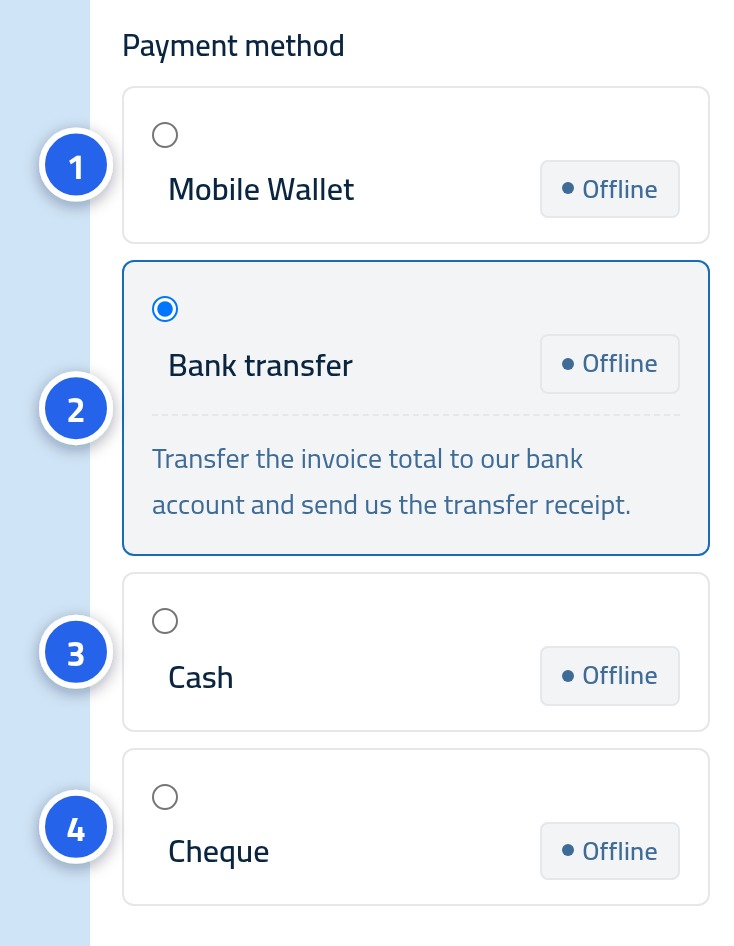
- Bank transfer — send the money to our bank account from your banking app or in branch. Best for larger amounts; it usually arrives within one or two working days.
- Mobile wallet — transfer from an e-wallet to the wallet number given in the instructions. The quickest option for small and medium amounts.
- Cash — hand the amount over in cash, arranged with our team in advance.
- Cheque — pay by cheque made out to the company. The payment is confirmed only once the cheque clears.
Step one: see the methods inside the invoice
Open an unpaid invoice from My invoices and scroll to the payment card. The available methods are listed for you, each by name. If a method is not shown, it is not enabled for your account at the moment.
Step two: read the method's instructions
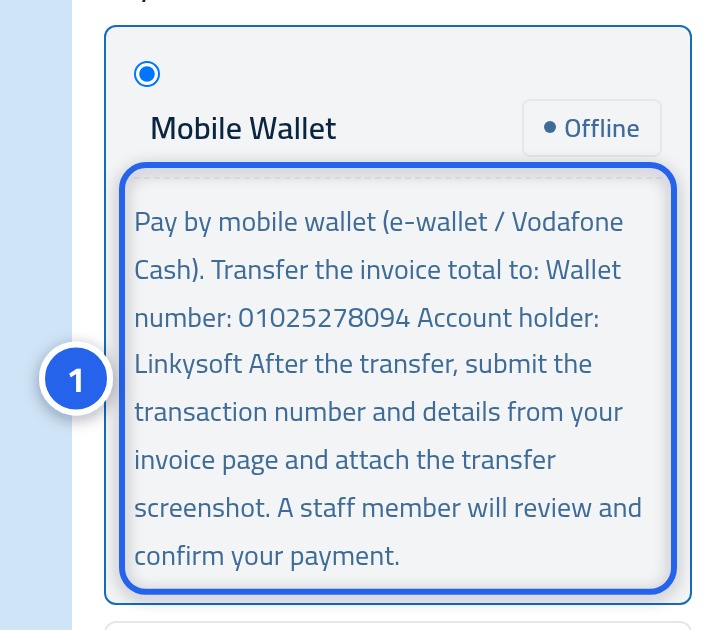
Click the method you want and its instructions appear directly underneath. This is where you find what you need in order to transfer: the account or wallet number and the beneficiary name. Copy these exactly as written — one wrong character delays the transfer.
Step three: tell us once you have transferred
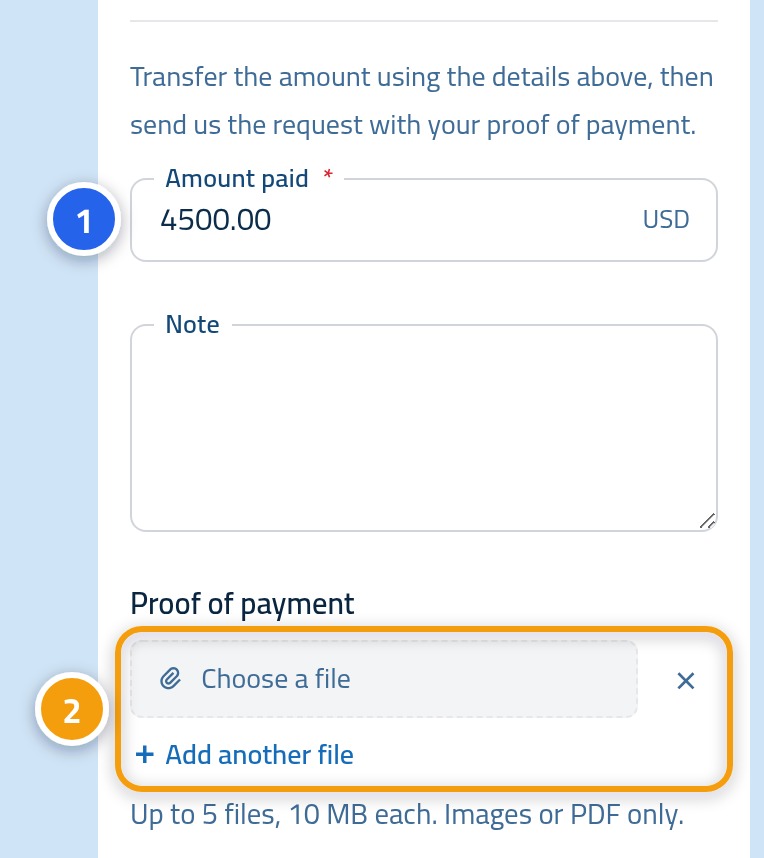
Once the money has actually gone, come back to the same card, enter the amount (1) you sent, attach the receipt under Attachments (2), and send the request. The form is identical for every method, so nothing changes when you switch between them.
Choosing the right method
- Pick whichever gives you a clear receipt — that alone often saves a day of waiting.
- For larger amounts, a bank transfer leaves the clearest record and is easier to trace.
- Check any fee your bank or wallet charges; it is separate from the invoice amount.
- If none of the methods shown works for you, open a support ticket before you transfer, not after.
Next: your payment history
Once a payment is confirmed it gets its own line on the My payments page, with a receipt. The next article explains that page.